Drupal Views components for Druxt with support for filters, pagination and sorting.



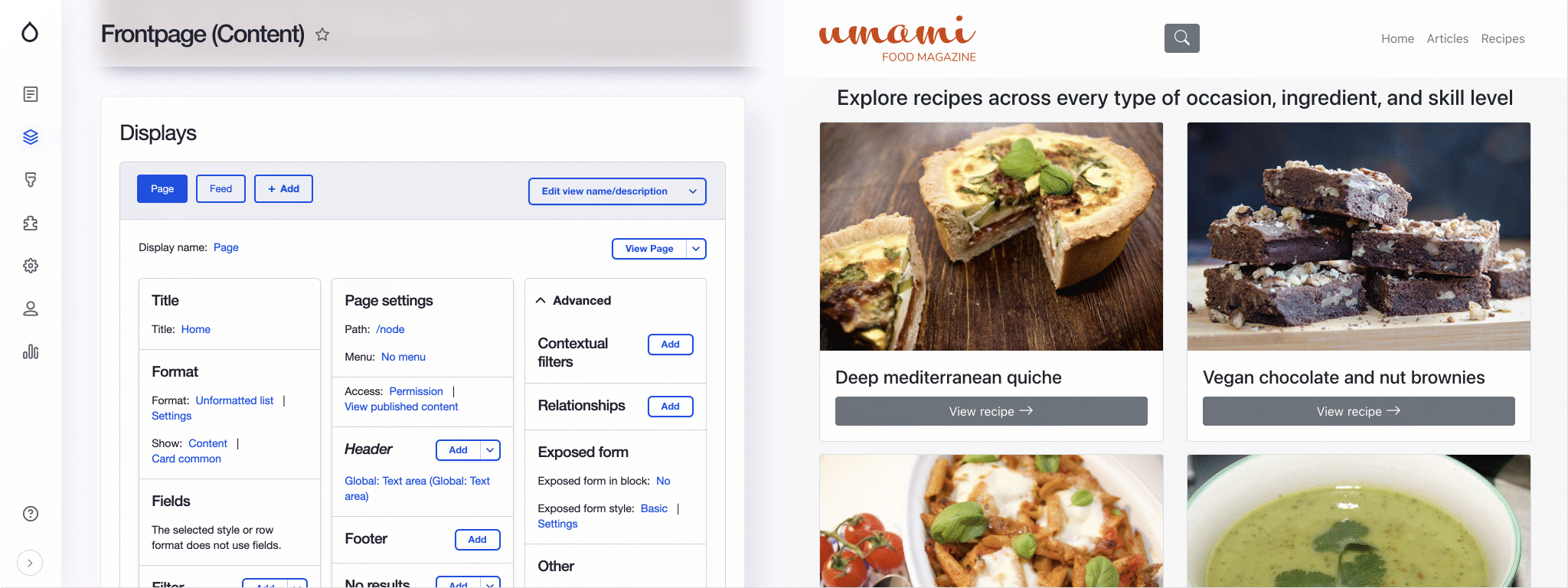
DruxtViews renders Drupal Views in Nuxt through the JSON:API Views module. A View's results, exposed filters, sorts and pagers all come across; results render as DruxtEntity components, and every part themes through the Druxt component suggestion system.
Features
- Vue.js components:
- DruxtView: Render a Drupal View by display as DruxtEntity components
- View page routing and Blocks with Druxt module integrations
- Druxt settings: Filter JSON:API fields
- @nuxtjs/Storybook integration
Installation
-
Install the package:
npm i druxt-views -
Add the module to
nuxt.config.js:export default { modules: ['druxt-views'], };
Vue.js components
DruxtView
Renders a Drupal View using DruxtEntity components, using data provided by the Drupal JSON:API Views module.
<DruxtView :display-id="displayId" :view-id="viewId" />
- For more details, refer to the DruxtView API documentation.
Settings
Reducing Views data
The default behaviour of the Views module is to retrieve all available fields from the JSON:API, for all results.
This behaviour is configurable using the modules query option, allowing for manually filtered fields, as well as automatic filtering with the bundleFilter option.
The default behaviour can be set via nuxt.config.js:
export default {
  druxt: {
    views: {
      query: {
        bundleFilter: true,
      },
    },
  },
};
| Option | Type | Required | Default | Description |
|---|---|---|---|---|
query.bundleFilter | boolean | No | false | Whether to automatically detect Resource types to filter, based on the View bundle filter. |
query.fields | string[] | No | [] | An array of fields to filter from the JSON:API Views Resource types. |
query.resourceTypes | string[] | No | [] | An array of Resource types to be used by the Fields filter. |
Router support
The DruxtViews module provides a DruxtRouterView component that is used by the Druxt Router module to render View page routes.
- For more details, see the Druxt Router module.
Storybook
DruxtViews provides zero-config, auto-generated Storybook integration with a live data connection to your Druxt backend.
- For more details, see the Storybook guide.
Options
Druxt Views options
These options are specific to this module.
| Option | Type | Required | Default | Description |
|---|---|---|---|---|
views.query.bundleFilter | boolean | No | false | Whether to automatically detect Resource types to filter, based on the View bundle filter. |
views.query.fields | string[] | No | [] | An array of fields to filter from the JSON:API Views Resource types. |
views.query.resourceTypes | string[] | No | [] | An array of Resource types to be used by the Fields filter. |
Base Druxt options
These options are available to all Druxt modules.
| Option | Type | Required | Default | Description |
|---|---|---|---|---|
axios | object | No | {} | Axios instance settings. |
baseUrl | string | Yes | null | Base URL for the Drupal installation. |
Note: The contents of this file were automatically generated from the packages/views/README.md.